
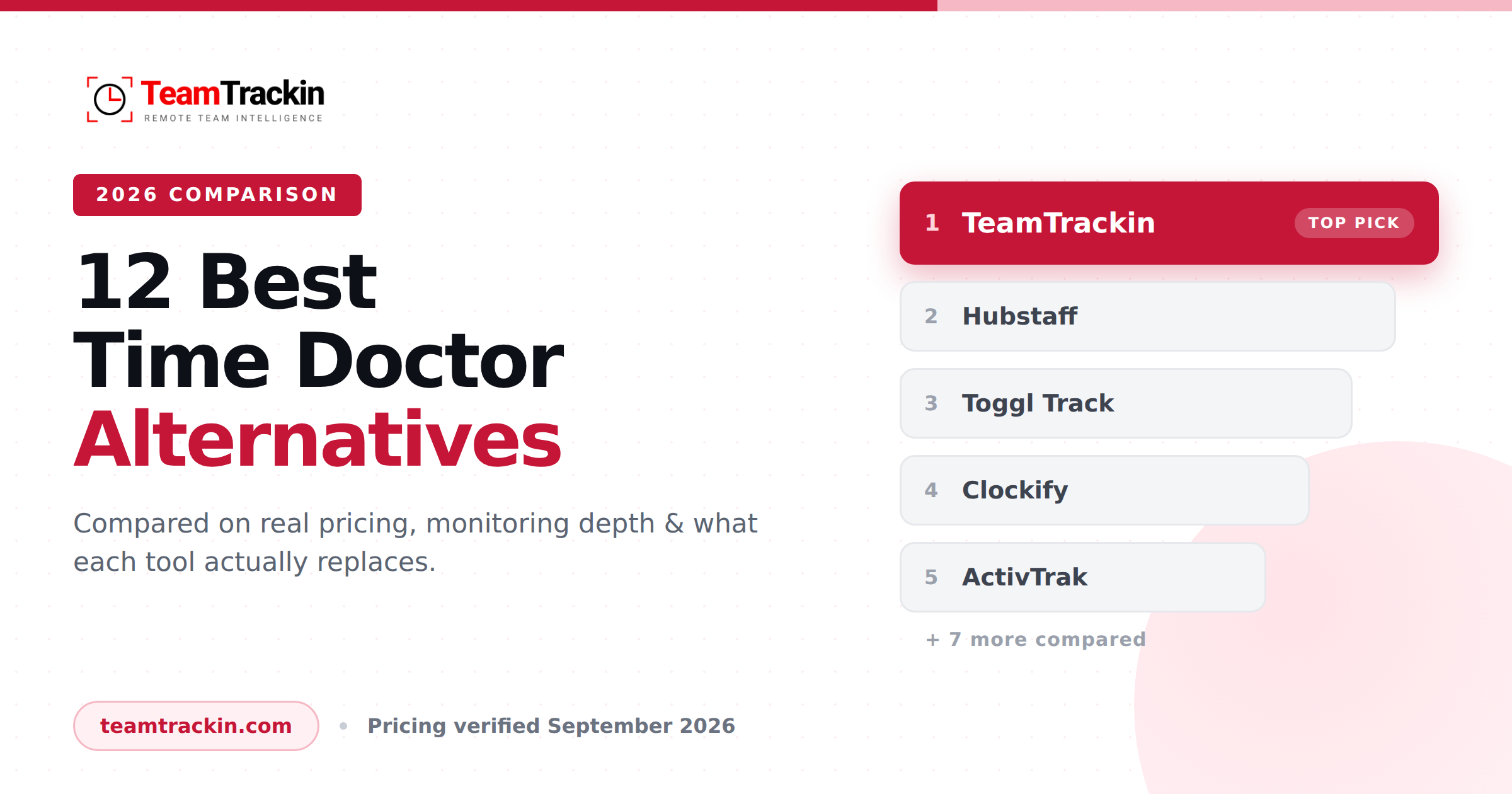
The best Time Doctor alternative is TeamTrackin if you want time tracking, monitoring, projects, HR and payroll in one platform; Toggl Track if you want tracking with no monitoring at all; and Clockify if you need a genuinely free plan. Below: every tool's real 2026 pricing, what it monitors, and who it actually fits.
The best Time Doctor alternative is TeamTrackin for teams that want time tracking, activity monitoring, project boards, HR records, payroll and client invoicing in a single platform instead of stitching together three or four subscriptions.
If your priority is something else: Toggl Track ($9/user/month) is the best monitoring-free option, Clockify (free for 5 users, $3.99 paid) is the best budget choice, Hubstaff ($4.99/user/month, 2-seat minimum) is the best for GPS and field teams, and ActivTrak ($10/user/month) is the best for workforce analytics without individual screenshots.
Time Doctor itself costs $6.67, $11.67 or $16.70 per user per month on annual billing. It is a capable tracker — the reasons teams leave are usually monitoring pushback from employees, a cluttered interface, and the fact that it stops at time tracking while the business needs projects, HR and payroll too.
Why Teams Look for a Time Doctor Alternative
Time Doctor is not a bad product. It holds a 4.4 out of 5 rating on G2 and it does automatic tracking, screenshots, web and app monitoring, payroll and 60-plus integrations competently. Teams still leave it, and the reasons cluster into five patterns.
1. Employees push back on the monitoring
This is the single most common reason. Interval screenshots, website and application logging, and the pop-up asking whether you are still working all land badly with salaried knowledge workers. Reviewers on Capterra and elsewhere repeatedly describe the experience as intrusive. When trust drops, people start gaming the tool — and the data you were paying for stops being accurate.
2. The interface feels heavy
Time Doctor packs a lot of reporting into one dashboard. Reviewers frequently describe the interface as cluttered and overwhelming, particularly for managers who only want two numbers: hours worked and where they went. Tools built around a single clear view win adoption faster.
3. Price climbs fast for the features you actually wanted
Basic at $6.67 per user per month gives you tracking, screenshots and timeline reports. Productivity ratings, attendance, leave and payroll only arrive at Standard ($11.67). The AI reports, mouse-jiggler detection, video recording and SSO sit at Premium ($16.70). A 25-person team on Premium is paying roughly $5,010 a year for what is still, fundamentally, one function.
4. It stops at time tracking
This is the one that matters most for growing companies. Time Doctor tracks time. It does not run your sprint board, hold your employee records, generate client invoices, or give a client a portal to log into. So agencies and remote-first companies end up paying for Time Doctor plus a project tool plus an HR tool plus an invoicing tool — four bills, four logins, four sources of truth that never quite agree.
5. Compliance requirements changed
European teams in particular now have a legal reason to re-evaluate. The European Court of Justice ruled in 2019 that member states must require an objective, reliable and accessible system for measuring daily working time, and Germany's Federal Labour Court confirmed in 2022 that every employer must record all working time including overtime. That pushes companies toward tools with clean audit trails and configurable privacy — not toward maximum surveillance.
The honest framing: if Time Doctor is working and your team is comfortable with it, there is no reason to switch. The tools below matter when one of the five patterns above describes you — most often the fourth one, where the business has outgrown a single-purpose tracker.
All 12 Time Doctor Alternatives Compared
Prices are per user per month on annual billing, verified against each vendor's own pricing page in September 2026. "Screenshots" means the tool can capture the employee's screen at intervals; several of these deliberately cannot.
| Tool | Starts at | Free plan | Screenshots | Payroll | Best for |
|---|---|---|---|---|---|
| Time Doctor (baseline) | $6.67 | No — 14-day trial | Yes | Standard tier+ | Monitoring-first remote teams |
| TeamTrackin | 14-day free trial | Trial, no card | Optional | Yes — built in | All-in-one: time, projects, HR, payroll, clients |
| Hubstaff | $4.99 | No (2-seat min.) | Yes | Yes | Field teams needing GPS |
| Toggl Track | $9.00 | Yes — limited users | No, by design | No | Monitoring-free time tracking |
| Clockify | $3.99 | Yes — 5 users | Pro tier | Partial | Budget-conscious small teams |
| ActivTrak | $10.00 | No | Analytics-led | No | Workforce analytics at scale |
| DeskTime | $6.42 | No — 14-day trial | Premium tier | No | Simple productivity scoring |
| Insightful | $8.00 | No | Yes | No | Enterprise & on-premise deployment |
| Harvest | $11.00 | Yes — 1 seat, 2 projects | No | Invoicing | Agencies that bill hourly |
| TimeCamp | $3.99 | Yes — unlimited users | Higher tiers | Partial | Automatic project-based tracking |
| Everhour | $8.50 | Yes — 5 seats | No | No | Teams living inside Asana/Jira/ClickUp |
| Monitask | $6.49 | No — 10-day trial | Yes | No | Budget screenshot monitoring |
| Jibble | $0 | Yes — unlimited users | Paid tiers | No | Free clock-in & attendance |
Sources: each vendor's public pricing page and G2 pricing data, checked September 2026. Prices change — confirm before purchasing.
TeamTrackin is the best Time Doctor alternative for teams that need time tracking, activity monitoring, project management, HR and payroll in one platform. Toggl Track is the best alternative for teams that want no monitoring at all, Clockify is the best free option, and Hubstaff at $4.99 per user per month is the cheapest paid tracker with GPS.
How We Evaluated These Tools
A "best alternatives" list is only useful if you know what it was measuring. Every tool here was scored against six criteria, weighted for what actually causes teams to leave Time Doctor rather than for feature-count bragging rights.
- Monitoring flexibility. Can an administrator turn screenshots and activity capture down or off per team? Rigid monitoring is the number-one driver of employee resistance.
- Real total cost. Entry price matters less than the price of the tier that contains the features you came for. Seat minimums and annual-only billing are counted here too.
- Scope beyond tracking. Does it also handle projects, HR, payroll or invoicing — the things teams otherwise buy separately?
- Data portability. How easily does time data get out, into payroll and into accounting?
- Setup effort. Time from signup to the first useful report, measured in minutes rather than onboarding calls.
- Compliance fit. Audit-ready records, configurable retention, and privacy controls that satisfy GDPR-governed teams.
Across G2 and Capterra, the complaints about every tool in this category rhyme: monitoring feels invasive, dashboards feel cluttered, and pricing tiers hide the feature people signed up for. The differentiator in 2026 is not tracking accuracy — every serious tool tracks accurately. It is how much of the rest of the business the tool absorbs, and how much control you have over how closely people are watched.
1. TeamTrackin — Best All-in-One Time Doctor Alternative
TeamTrackin
14-day free trial · No credit card · Setup in ~3 minutes
TeamTrackin is the alternative for the fourth reason people leave Time Doctor: the business outgrew a single-purpose tracker. It does everything Time Doctor does — automatic time tracking, activity monitoring, timesheets, productivity reporting — and then keeps going into the areas Time Doctor hands off to other vendors.
In the same platform you get sprint-based project boards, employee records and document storage, a finance dashboard with salary and payroll handling, client invoicing, a client-facing portal, a secure credential vault and SOP documentation. For an agency or a remote-first company, that typically collapses a stack of three or four subscriptions into one.
The monitoring philosophy is also different. Screenshots are an option you switch on, not a condition of using the product. Teams that need audit-grade evidence turn them on; teams that only need hours and output leave them off and still get the activity, project and productivity reporting.
- Time tracking, projects, HR, payroll, invoicing and client portal in one login
- Monitoring depth is configurable rather than mandatory
- Finance dashboard handles salaries and payroll natively
- Replaces three to four separate subscriptions for most agencies
- Roughly three minutes from signup to a working dashboard
- Broader scope means more to configure than a single-purpose timer
- Overkill if you genuinely only need a stopwatch and a CSV export
- Newer brand than Time Doctor, so fewer third-party reviews to read

Where TeamTrackin beats Time Doctor directly
| Capability | Time Doctor | TeamTrackin |
|---|---|---|
| Automatic time tracking | Yes | Yes |
| Activity & productivity monitoring | Yes | Yes, configurable |
| Screenshots | Yes, core to the product | Optional |
| Payroll & salary management | Standard tier and above | Built in |
| Sprint / Kanban project boards | No | Yes |
| HR records & employee documents | No | Yes |
| Client invoicing | No | Yes |
| Client portal | Client login (Premium) | Yes |
| Secure credential vault | No | Yes |
| SOP & process documentation | Knowledge base | Yes |

TeamTrackin adds sprint-based project boards, HR and employee record management, a finance and payroll dashboard, client invoicing, a client portal, a secure credential vault and SOP documentation to the time tracking and monitoring that Time Doctor provides. For most agencies and remote teams that replaces three or four separate subscriptions.

Choose TeamTrackin if: you run an agency, a BPO, a software team or any remote-first company where time tracking is one part of a larger operations problem, and you would rather pay for one platform than four.
Replace four subscriptions with one.
Time tracking, projects, HR, payroll and client billing — free for 14 days.
2. Hubstaff — Best for Field and GPS-Tracked Teams
Hubstaff
From $4.99/user/month · Grow $7.50 · Team $10.00 · 2-seat minimum
Hubstaff is the closest like-for-like swap for Time Doctor and it undercuts it on entry price. Screenshots, activity levels, app and URL tracking, automated payroll and a large integration catalogue all mirror what Time Doctor offers. The differentiator is location: GPS tracking and geofencing mean staff can be clocked in and out automatically when they arrive at or leave a job site.
That makes it the obvious choice for construction, field service, delivery, cleaning and any business where the work happens away from a desk. The catch is the two-seat minimum on every standard tier — a solo operator cannot buy a single seat — and the same monitoring pushback that drives people away from Time Doctor applies here, because the feature set is so similar.
- Cheapest entry point among full monitoring tools at $4.99
- GPS tracking and geofencing for mobile workforces
- Automated payroll based on tracked hours
- 4.4/5 on G2, same as Time Doctor
- Two-seat minimum on all standard plans
- Same monitoring-resistance problem as Time Doctor
- Useful features sit behind add-ons on lower tiers
Choose Hubstaff if: your team works in the field and you need location data attached to timesheets. Also see our Hubstaff alternatives guide if you are weighing both.
3. Toggl Track — Best Monitoring-Free Alternative
Toggl Track
Free for a limited number of users · Starter $9 · Premium $16 · Enterprise custom
Toggl Track is the answer when the problem with Time Doctor is the monitoring itself. Toggl states plainly that it does not monitor employees, take screenshots, or record keystrokes, browsing history or location — and it frames that as a deliberate design decision, on the grounds that employee buy-in is what makes time data accurate in the first place.
What you get instead is a genuinely excellent timer: one-click tracking, background detection of what you worked on, strong reporting, billable rates, and project profitability. It is the tool consultants and design teams tend to actually enjoy using, which is not a small thing when adoption is the whole battle.
- No screenshots, keystrokes, browsing history or location — ever
- Fastest, cleanest timer UI in the category
- Strong billable-rate and profitability reporting
- Highest voluntary adoption rates of any tool here
- No monitoring at all, so unusable if you need proof-of-work
- No payroll processing
- $9 entry is nearly double Hubstaff's
Choose Toggl Track if: you need accurate hours from people you already trust, and monitoring would cost you more in morale than it returns in data.
4. Clockify — Best Free Time Doctor Alternative
Clockify
Free for 5 users · Basic $3.99 · Standard $5.49 · Pro $7.99 · Enterprise $11.99
Clockify is the cheapest credible way off Time Doctor. The free plan covers up to five users with unlimited time tracking, timer and timesheet views, mobile and desktop apps, an auto tracker, basic reporting and 80-plus integrations. Paid tiers start at $3.99 per user per month — well under Time Doctor's $6.67 — and add invoicing, time-off management, approval workflows and, at Pro, screenshots.
The trade-off is depth. Administrative features like approvals and invoicing are gated behind upgrades, reporting history on the free plan is limited to one month, and the monitoring that does exist is lighter than Time Doctor's. For a five-person consultancy that needs hours and invoices, none of that matters. For a 50-person operation that needs audit trails, it will.
- Genuinely usable free plan for up to 5 users
- $3.99 paid entry, 40% below Time Doctor
- 80+ integrations even on free
- Unlimited projects and tracking at every tier
- Free plan limits reporting to a 1-month range
- Approvals, invoicing and time-off require paid tiers
- Screenshots only on Pro and above
Choose Clockify if: budget is the constraint and your team is small enough that five free seats or a $3.99 upgrade solves the problem.
5. ActivTrak — Best for Workforce Analytics Without Screenshots
ActivTrak
Work Activity Tracking $10 · Workforce Management $15 · Productivity Optimization $17 · Workflow $21 — annual only
ActivTrak sits at the analytics end of the category. Rather than proving that an individual was at their desk, it aggregates work patterns across a whole organisation: focus time versus collaboration time, application and workflow bottlenecks, burnout risk signals, and team-level productivity benchmarks. It is the tool an operations or people-analytics function buys, not the one a manager buys to police a contractor.
That positioning makes it a strong Time Doctor alternative for larger companies where individual screenshots would be politically impossible but workload visibility is still needed. The costs are the annual-only billing — there is no month-to-month option — the higher entry price, and the fact that there is no payroll processing at all.
- Organisation-level analytics rather than individual surveillance
- Burnout and workload-balance signals built in
- Strong enterprise reporting and benchmarking
- Annual billing only — no monthly option
- $10 entry, well above Time Doctor's $6.67
- No payroll, no invoicing
- Paid support required above 50 licences
Choose ActivTrak if: you are 100+ people, you need workload and capacity data, and individual screenshots would create more problems than they solve.
6. DeskTime — Best Simple Productivity Scoring
DeskTime
Pro $6.42 · Premium $9.17 · Enterprise custom (200+ users) — annual pricing
DeskTime's appeal is that it answers one question clearly: how productive was this person today, as a percentage. It classifies applications and documents as productive, neutral or unproductive, tracks document titles, and rolls everything into a single score managers can read at a glance. Screenshots, shift scheduling and the API arrive on Premium at $9.17.
It is marginally cheaper than Time Doctor at entry and considerably simpler to read. The flip side is that a single productivity percentage is a blunt instrument — it measures application category, not outcome — and DeskTime does no payroll and no invoicing, so it remains a single-purpose tool.
- Cheaper than Time Doctor at $6.42
- One clear productivity score, easy for managers to act on
- Document-title tracking and calendar integration
- Productivity scoring measures app category, not output
- Screenshots and scheduling only on Premium
- Enterprise tier requires 200+ users
Choose DeskTime if: you want Time Doctor's core idea in a simpler package and a single score is enough.
7. Insightful — Best for Enterprise and On-Premise Deployment
Insightful (formerly Workpuls)
Workforce Analytics $8 · Workflow Optimization $12 · Bundle $16 · Enterprise custom
Insightful covers similar ground to Time Doctor — activity tracking, productivity insights, real-time monitoring, screenshots — but its differentiator is deployment. The Enterprise tier offers on-premise installation, audit logs, dedicated account management and 24/7 phone support, which matters to banks, healthcare providers and anyone whose security policy forbids employee activity data sitting in a vendor's cloud.
For everyone else it is a solid but pricier Time Doctor equivalent. Reviewers on Capterra describe its pricing as toward the higher end of the category, and it offers no payroll or invoicing, so it is a monitoring purchase rather than an operations one.
- On-premise deployment available for regulated industries
- Audit logs and enterprise security controls
- Automatic time tracking with industry-specific templates
- $8 entry is above Time Doctor's $6.67
- No payroll or invoicing
- Best features reserved for custom-priced Enterprise
Choose Insightful if: your compliance team requires on-premise hosting or a full audit log.
8. Harvest — Best for Agencies That Bill by the Hour
Harvest
Free for 1 seat and 2 projects · Teams $11/seat · Enterprise $17.50/seat · Enterprise Plus custom
Harvest is a time tracker built around getting paid. Time entries flow directly into invoices, invoices flow into payment processors, and expense tracking sits alongside so a client bill is complete without leaving the tool. It takes no screenshots and records no keystrokes, browsing history or location.
If the reason you had Time Doctor was billing accuracy rather than supervision, Harvest is the cleaner instrument. The costs are price — $11 per seat is the highest entry point on this list — and the complete absence of monitoring, which makes it unsuitable if you genuinely need proof-of-work from contractors you have never met.
- Best-in-class invoicing directly from tracked time
- Expense tracking built in
- No monitoring, so no adoption resistance
- Free tier for solo freelancers
- Most expensive entry price here at $11/seat
- No monitoring or screenshots of any kind
- Free plan capped at 1 seat and 2 projects
Choose Harvest if: billing clients accurately is the whole job and supervision is not part of it.
9. TimeCamp — Best Automatic, Hands-Off Tracking
TimeCamp
Free forever (unlimited users) · Starter $3.99 · Premium $6.99 · Ultimate $9.99 · Enterprise custom
TimeCamp's free plan is unusually generous: unlimited projects and unlimited users, with timesheets and web, desktop and mobile apps included. Paid tiers start at $3.99 and the pitch is automation — the desktop app classifies activity against projects on its own, so time lands on the right project without anyone remembering to press start.
For teams whose real problem is that nobody fills in timesheets, that is the right shape of solution. The limits are that monitoring features sit on higher tiers, and the newer AI time-entry suggestions are billed separately on token usage, at roughly $6 per user per month — which can quietly undo the pricing advantage.
- Free forever plan with unlimited users and projects
- $3.99 paid entry, well below Time Doctor
- Automatic project classification with no manual timers
- AI time-entry suggestions billed separately (~$6/user/month in tokens)
- Monitoring features gated to higher tiers
- Reporting less polished than Toggl's
Choose TimeCamp if: your team forgets to track time and you want the software to do it for them.
10. Everhour — Best If You Live Inside Asana, Jira or ClickUp
Everhour
Free for up to 5 seats · Team $8.50/user/month (5-seat minimum) · Custom for 50+
Everhour's whole design is to disappear into the project tool you already use. Timers appear natively inside Asana, Jira, ClickUp, Trello, Basecamp and Notion tasks, so nobody switches context to track time. Budgets, estimates and billable rates then roll up in Everhour's own reporting.
If your team already lives in one of those tools, adoption is close to effortless. If you do not use a supported project tool, most of the value evaporates — and Everhour does no monitoring, no screenshots and no payroll, plus it requires a five-seat minimum on the paid plan.
- Native timers inside Asana, Jira, ClickUp, Trello, Notion
- Free for up to 5 seats
- Strong budget and estimate tracking per project
- Five-seat minimum on the paid plan
- No monitoring, screenshots or payroll
- Value drops sharply without a supported PM tool
Choose Everhour if: your work already happens in a supported project tool and you want tracking to be invisible.
11. Monitask — Best Budget Screenshot Monitoring
Monitask
Pro $6.49 · Business $8.99 · Business Premium $12.99 · Enterprise custom — annual pricing
Monitask is a lean, direct substitute: screenshots, activity levels, application and website tracking, timesheets and basic reporting, at $6.49 per user per month on annual billing — a shade under Time Doctor's $6.67 — with a ten-day trial. It is deliberately narrow, which is also its selling point for managers who found Time Doctor's dashboard overwhelming.
What you give up is depth. There is no payroll, no invoicing, no GPS, and the integration catalogue is far smaller than Time Doctor's 60-plus. It is a monitoring tool and nothing more, priced accordingly.
- Slightly cheaper than Time Doctor with the same core monitoring
- Much simpler interface
- Quick to deploy across a contractor team
- No payroll, invoicing or GPS
- Small integration catalogue
- Only a 10-day trial
Choose Monitask if: you want Time Doctor's monitoring, nothing else, and a slightly lower bill.
12. Jibble — Best Free Attendance and Clock-In
Jibble
Free forever with unlimited users · Paid tiers add advanced features
Jibble solves a narrower problem than Time Doctor and solves it for nothing. Its free-forever plan supports unlimited users for clock-in and clock-out, timesheets, offline mode, kiosk access and integrations with Slack, Teams and QuickBooks. Setup takes about two minutes and needs no card.
For shift-based businesses — retail, hospitality, warehousing — where the question is who turned up and when rather than what they did on screen, that is often the entire requirement. It is not a monitoring tool and it does not do payroll processing, so it is a replacement only if attendance was the actual use case.
- Free forever with unlimited users
- Kiosk and facial-recognition clock-in for shift sites
- Two-minute setup, no credit card
- Attendance-focused, not a productivity monitor
- No payroll processing
- Advanced reporting requires paid tiers
Choose Jibble if: you need attendance and shift clock-in for a distributed hourly workforce at zero cost.
How to Choose in Under Five Minutes
Most of this decision collapses into one question: what was Time Doctor actually failing at? Answer that and the shortlist is usually one or two tools, not twelve.
| If your problem was… | Pick this | Because |
|---|---|---|
| The business needs more than time tracking | TeamTrackin | Projects, HR, payroll, invoicing and client portal in one platform |
| Employees resent the surveillance | Toggl Track | No screenshots, keystrokes, browsing history or location, by design |
| The bill was too high | Clockify or TimeCamp | Both start at $3.99, both have real free plans |
| Staff work off-site | Hubstaff | GPS tracking and geofenced automatic clock-in |
| You need org-level insight, not individual proof | ActivTrak | Aggregated workload and burnout analytics |
| Security forbids cloud-hosted activity data | Insightful | On-premise deployment and audit logs |
| It was really about billing clients | Harvest | Invoicing and expenses built directly onto tracked time |
| Nobody remembers to start a timer | TimeCamp or Everhour | Automatic classification, or timers inside your PM tool |
| You only need attendance | Jibble | Free forever, unlimited users, kiosk clock-in |
| You want the same thing, slightly cheaper | Monitask | Same core monitoring at $6.49 |

One thing to check before you commit: confirm the tier that holds the feature you came for, not the advertised entry price. Time Doctor's $6.67 does not include payroll; Clockify's $3.99 does not include screenshots; DeskTime's $6.42 does not include scheduling. The sticker price and the price you will actually pay are different numbers in almost every case on this list.
How to Switch Off Time Doctor Without Losing Data
The expensive mistake is cancelling first. Historical time data sits behind an active subscription, and year-to-date reporting breaks the moment it disappears. Five steps, roughly one week:
- Export your history first. Pull timesheets, project and task reports, and payroll reports to CSV while the subscription is still live. Store them somewhere that is not one person's laptop.
- List the integrations you actually use. Time Doctor advertises 60-plus. Most teams have two or three connected. Only those need to exist in the replacement — do not let a long integration list drive the decision.
- Run both tools in parallel for one pay period. Install the new tool alongside Time Doctor and compare total tracked hours per person at the end. A variance above about 5% almost always traces back to a different idle-time threshold or an offline-tracking setting, not to a broken tool.
- Rebuild projects, tasks and rates. Recreate the project tree, then re-enter hourly and billing rates before the first real week. Import the CSV history if the new tool accepts it, so year-to-date numbers stay continuous.
- Tell the team before you cut over. Say what is changing, what the monitoring settings are, and what is not being recorded. Monitoring rollouts fail on communication far more often than on features — and if employee pushback was why you left Time Doctor, repeating the same silent rollout will reproduce the same problem.
If you operate in the EU, keep the audit trail in mind when you choose. The European Court of Justice's 2019 ruling requires member states to mandate an objective, reliable and accessible system for measuring daily working time, and Germany's Federal Labour Court confirmed in 2022 that all working time including overtime must be recorded by employers of every size. Whichever tool you pick should export clean, dated, per-employee records — that is the compliance requirement, not screenshot volume.
More from TeamTrackin
Frequently Asked Questions
- What is the best Time Doctor alternative?
TeamTrackin is the best Time Doctor alternative for teams that want time tracking, activity monitoring, project management, HR and payroll in one platform instead of paying for several tools. If you only need lightweight time tracking without monitoring, Toggl Track is the strongest choice, and Clockify is the best free option for small teams.
- Is there a free alternative to Time Doctor?
Yes. Clockify has a free plan for up to 5 users with unlimited time tracking, Jibble offers a free forever plan with unlimited users for clock-in and attendance, TimeCamp has a free plan covering unlimited projects and users, and Toggl Track is free for a small number of users. Time Doctor itself has no free plan, only a 14-day trial.
- How much does Time Doctor cost?
As of September 2026, Time Doctor costs $6.67 per user per month for Basic, $11.67 for Standard and $16.70 for Premium when billed annually. Month-to-month billing costs $8, $14 and $20 respectively, and Enterprise pricing is custom. Several alternatives — including Clockify at $3.99 and Hubstaff at $4.99 — start well below Time Doctor's entry price.
- Why do employees dislike Time Doctor?
The most common objections are screenshots taken at intervals, website and application tracking, and on-screen pop-ups asking whether the person is still working. Reviewers frequently describe the monitoring as intrusive and the interface as cluttered. Tools like Toggl Track and Harvest avoid this entirely by not monitoring at all, while TeamTrackin and ActivTrak let administrators dial monitoring depth up or down per team.
- What is the cheapest Time Doctor alternative?
Clockify Basic at $3.99 per user per month billed annually is the cheapest paid alternative with a real admin feature set, followed by TimeCamp Starter at $3.99 and Hubstaff Starter at $4.99 with a two-seat minimum. For zero cost, Jibble's free forever plan supports unlimited users for attendance and clock-in.
- Can I migrate my Time Doctor data to another tool?
Yes, but export first. Time Doctor lets you export timesheets, project and task reports and payroll data to CSV while your subscription is active. Export everything before you cancel, then import the CSV into the new tool so year-to-date reporting stays continuous. Run both tools in parallel for one pay period to confirm tracked hours match within about 5 percent.
- Which Time Doctor alternative does not take screenshots?
Toggl Track and Harvest take no screenshots at all and record no keystrokes, browsing history or location. Everhour and Clockify's standard plans are also screenshot-free. ActivTrak focuses on aggregated productivity analytics rather than individual screenshots. TeamTrackin makes screenshots optional rather than mandatory, so you can run activity tracking without them.
- What does TeamTrackin do that Time Doctor does not?
Time Doctor is a time tracking and monitoring product. TeamTrackin adds sprint-based project boards, HR and employee record management, a finance and payroll dashboard, client invoicing, a client portal, a secure credential vault and SOP documentation in the same platform. For most agencies and remote teams that combination replaces three or four separate subscriptions.
Pricing in this guide was verified against each vendor's published pricing page and Time Doctor's own pricing page in September 2026. Software pricing changes frequently — confirm current rates with the vendor before purchasing. This article is general information, not purchasing or legal advice.
One platform instead of four.
Try TeamTrackin free.
Time tracking, activity monitoring, sprint boards, HR records, payroll and client invoicing — in a single login, with monitoring you control.
Start Free Trial→14-day free trial · No credit card · Setup in ~3 minutes