
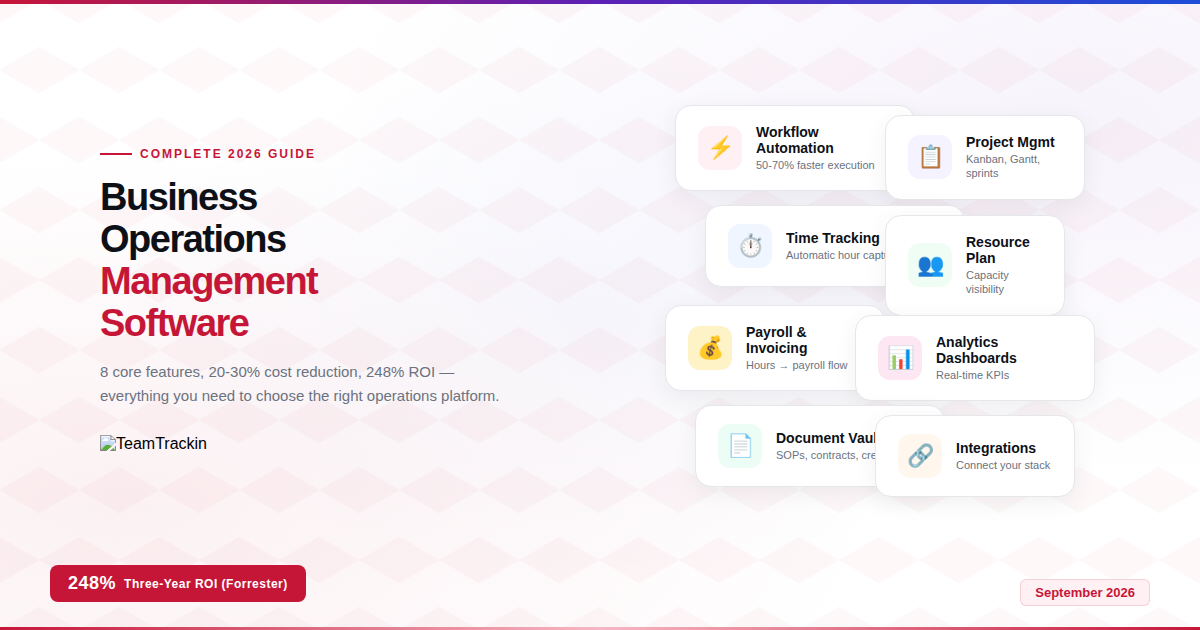
66% of organisations have automated at least one business function — yet workers still lose 25% of the work week to manual, repetitive tasks. Business operations management software closes that gap by centralising workflows, automating routine processes, and giving leadership real-time visibility into how work actually happens. This guide covers what it is, the 8 features that matter, the ROI data, and how to choose the right operations management tool for your business.
Business operations management software is a technology platform that helps organisations plan, execute, monitor, and optimise their day-to-day activities. It replaces disconnected spreadsheets, emails, and manual processes with a centralised system that connects workflows across departments, automates repetitive tasks, allocates resources efficiently, and provides leadership with real-time performance data.
Think of it as the operating system for your business — the layer that connects people, projects, time, money, and data into a single source of truth. Without it, information lives in silos, decisions are based on outdated data, and operational inefficiencies compound silently until they become expensive problems.
Why Businesses Need Operations Management Software in 2026
Most businesses don't fail because of a bad product or a weak market — they fail because their operations can't keep up with their growth. When a team is small, operations management happens naturally: the founder knows what everyone is working on, communication is face-to-face, and processes live in people's heads. But as teams grow past 10-15 people, that informal approach breaks down in predictable ways.
Tasks start falling through the cracks. Different teams use different tools that don't talk to each other. Information lives in individual inboxes and personal spreadsheets. Nobody has a clear picture of capacity, costs, or project status without asking five people. Time that should be spent on strategic work gets consumed by coordination overhead — the constant "checking in" and "following up" that eats productive hours alive.
Operations management software solves this by creating a single system where work is visible, trackable, and connected. Instead of asking "who's working on what?" — the dashboard shows it. Instead of chasing timesheets and approvals — the system captures hours automatically and routes approvals digitally. Instead of guessing at project profitability — the data shows exactly how hours and costs map to clients and projects.
McKinsey's 2026 research reveals a paradox: 66% of organisations have automated at least one function, yet workers still spend 25% of their week on manual, repetitive tasks. The gap exists because most businesses automate isolated processes (one form here, one approval there) without connecting them into a unified operational system. True operations management software bridges this gap by connecting the automations into a coherent workflow — not just automating individual tasks, but orchestrating how work flows between people, teams, and departments.
8 Core Features of Business Operations Management Software
Not all operations software is created equal. The best platforms combine multiple capabilities into a unified system rather than forcing you to stitch together separate tools. Here are the eight features that define a genuinely useful operations management tool:
1. Workflow automation
Automate repetitive processes — approvals, notifications, status updates, data routing — so humans handle the thinking and machines handle the routine. Workflow automation alone reduces process cycle times by 50-70% on average.
2. Project & task management
Kanban boards, Gantt charts, sprints, milestones, and task assignments give teams a visual, structured way to plan, execute, and track work. Every project has clear ownership, deadlines, and progress visibility.
3. Resource allocation & capacity
See who's available, who's overloaded, and where capacity exists — preventing burnout on one side and underutilisation on the other. Essential for agencies and services businesses where people are the primary resource.
4. Time tracking & workforce management
Automatic or manual time capture, attendance tracking, leave management, and productivity monitoring. The data feeds payroll, client billing, and project costing — replacing the spreadsheet-based approach that produces 80% error rates.
5. Financial operations & payroll
Payroll processing, invoicing, expense tracking, and budget management connected to the operational data. When tracked hours flow directly into payroll and client invoices, the manual reconciliation workload disappears.
6. Reporting & analytics dashboards
Real-time dashboards showing operational KPIs — productivity scores, project profitability, team utilisation, overtime trends, and financial performance. Leadership makes decisions from data, not anecdotes.
7. Document & knowledge management
SOPs, contracts, policies, and credentials stored centrally with version control, access permissions, and search. Eliminates the "where is that document?" problem that wastes hours every week across the organisation.
8. Integration capabilities
Connects with your existing tools — communication platforms, accounting software, CRM, cloud storage — so the operations system becomes the hub that unifies your tech stack rather than adding another silo to it.

TeamTrackin's Kanban board — sprint-based project management with task cards, priority levels, assignees, and progress tracking in one view
The most effective operations management software combines several of these features into a single platform. Using separate tools for time tracking, project management, payroll, and document storage creates the exact fragmentation problem that operations software is supposed to solve. Every time someone switches between apps, copies data from one system to another, or reconciles conflicting information across tools — that's operational overhead that an integrated platform eliminates.
The ROI: How Operations Software Reduces Costs and Increases Efficiency
Operations management software isn't just a productivity tool — it's a financial investment with well-documented returns. Here's what the research shows:
| Metric | Impact | Source |
|---|---|---|
| Cost reduction (basic automation) | 20-30% operational cost savings | McKinsey & Gartner, 2026 |
| Cost reduction (intelligent automation) | 50-70% operational expense reduction | Gartner, 2026 |
| Three-year ROI | 248% return on investment | Forrester TEI Study |
| Payback period | 60% achieve payback within 12 months | Industry research, 2026 |
| Process cycle time | 50-70% faster execution | Workflow automation studies |
| Error rate reduction | Up to 75% fewer errors in repetitive tasks | AI Workflow Designer, 2025 |
| Employee satisfaction | 88% higher job satisfaction at automated companies | Business automation research |
| Task completion speed | 83% report faster task completion | Workflow efficiency data |
The ROI story breaks down into three categories. First, direct cost savings from eliminating manual work — less time on data entry, fewer errors requiring correction, and optimised resource utilisation. Second, revenue protection from better visibility — identifying project overruns before they become losses, tracking billable hours that would otherwise go uncaptured, and maintaining compliance that prevents costly penalties. Third, strategic value from better data — making faster decisions, spotting trends earlier, and allocating resources to the highest-value activities.
A practical example: Consider a 50-person agency where employees spend an average of 7 minutes per day on manual timesheet entry (American Payroll Association data). That's 7 min × 50 people × 260 working days = 1,517 hours per year lost to timesheet administration alone. At an average loaded cost of $35/hour, that's $53,083 per year on a single manual process. Automated time tracking eliminates this cost entirely — and that's just one of dozens of processes that operations software automates.
Centralise your operations in one platform.
TeamTrackin combines time tracking, project management, payroll & workforce analytics — try free for 14 days.
Operations Management Software by Business Size
The right operations management tool depends heavily on your business size, because operational complexity scales non-linearly — a 100-person company doesn't have 10x the operational challenges of a 10-person company; it has 50x. Here's what each tier needs:
Small business (1-25 people)
Needs simplicity above all. Quick implementation (days, not months), intuitive interface requiring no training, and affordable flat-rate or per-user pricing. The platform should handle time tracking, basic project management, invoicing, and payroll without overwhelming the team with enterprise features they'll never use. TeamTrackin, Monday.com, and ClickUp serve this tier well.
Mid-market (25-250 people)
Needs workflow automation, detailed reporting, role-based access controls, and integration with existing tools (accounting software, CRM, communication platforms). This tier is where operational visibility becomes critical — managers can no longer track everything manually, and the platform must surface insights they'd otherwise miss. Zoho One, Productive, and TeamTrackin serve this segment.
Enterprise (250+ people)
Needs multi-location support, advanced compliance features, custom workflow builders, API access, dedicated support, and the ability to handle complex organisational structures. Full ERP systems (NetSuite, SAP, Microsoft Dynamics 365) dominate this tier. Implementation timelines are months, not days, and costs run into six figures — but the operational complexity justifies it.
Operations Management Software vs ERP: What's the Difference?
Operations management software and ERP (Enterprise Resource Planning) systems are often mentioned together, but they serve different primary functions:
| Factor | Operations Management Software | ERP System |
|---|---|---|
| Primary focus | Day-to-day workflow execution and team productivity | Enterprise-wide resource planning and financial management |
| Core capabilities | Project management, time tracking, task automation, team monitoring | Accounting, supply chain, manufacturing, HR, compliance |
| Typical users | Operations managers, team leads, project managers | CFOs, supply chain directors, IT leaders |
| Implementation time | Days to weeks | Months to years |
| Cost range | $5-50 per user/month or flat-rate | $50-500+ per user/month plus implementation fees |
| Best for | SMBs, agencies, remote teams, service businesses | Manufacturing, distribution, multi-subsidiary enterprises |
| Examples | TeamTrackin, Monday.com, ClickUp, Productive | NetSuite, SAP, Microsoft Dynamics 365, Odoo |
The line between the two categories is blurring. Modern operations management tools increasingly include ERP-adjacent features like payroll, invoicing, and financial reporting — while remaining significantly easier to implement and more affordable than full ERP systems. For SMBs and remote-first businesses, an operations management platform that includes payroll and invoicing often provides everything needed without the ERP overhead.
How to Choose the Right Operations Management Tool
With dozens of platforms competing for your attention, the selection process can feel overwhelming. Here's a structured framework for making the right choice:
Step 1: Identify your top 3 operational bottlenecks
Before looking at any software, list the three operational problems that cost you the most time, money, or frustration. Common examples: "we don't know where hours go," "project updates live in 5 different channels," "payroll takes 2 days to process," "nobody knows who's available." The right tool is the one that solves your specific bottlenecks — not the one with the longest feature list.
Step 2: Match the tool to your workforce type
- Remote/hybrid teams: Prioritise time tracking with activity monitoring, async communication features, and cloud-first architecture. TeamTrackin is purpose-built for this.
- On-site/shift-based teams: Prioritise scheduling, clock-in/clock-out, and attendance management.
- Project-based businesses (agencies, consultancies): Prioritise project-level time tracking, client billing, and profitability reporting.
- Product companies: Prioritise sprint management, roadmap planning, and development workflows.
Step 3: Evaluate integration requirements
The operations tool must connect with your existing tech stack — accounting software, communication platform, cloud storage, CRM. A platform that requires you to abandon your current tools creates more disruption than value. The best operations software fits into your existing workflow and enhances it rather than replacing it.
Step 4: Test with real work
Every reputable operations management platform offers a free trial. Use it with actual projects, real team members, and genuine workflows — not a sandbox with fake data. You'll learn more in one week of real use than from any demo or feature comparison.
The best operations management software is the one your team actually uses. A platform with 200 features that nobody opens is less valuable than a simple tool that the entire team uses daily. Adoption beats features every time. When evaluating platforms, pay more attention to how intuitive the interface feels on day one than how many enterprise features are buried in the settings menu.
How TeamTrackin Works as Your Business Operations Management Platform
TeamTrackin is built for remote and hybrid teams that need a centralised operations platform without the complexity and cost of enterprise ERP systems. It combines the operational features that growing businesses actually use — in a single platform that takes minutes to set up, not months.
Automatic time tracking
Hours captured as employees work — with optional screenshot monitoring and productivity scoring. No manual timers, no end-of-week reconstruction from memory.
Project management
Kanban boards, sprints, milestones, Gantt charts, and task assignments. Every project has clear ownership, progress visibility, and time data linked to it.
Payroll & invoicing
Tracked hours flow into payroll calculations and client invoices automatically. Overtime, benefits, and salary breakdowns handled without spreadsheets.
Workforce analytics
Real-time dashboards showing productivity, project health, team utilisation, overtime trends, and financial performance — the operational intelligence layer.
Secure vault & SOPs
Encrypted credential storage, document management, and standard operating procedures — all centralised with access controls and version history.
Client portal
A branded workspace where clients see project progress, tracked hours, invoices, and milestones — building transparency that strengthens client relationships.

TeamTrackin's project overview — time tracked, project health, milestones, team members, and budget tracking in one operational view
Frequently Asked Questions
- What is business operations management software?
Business operations management software is a technology platform designed to plan, execute, monitor, and optimise day-to-day business activities. It centralises workflows across departments, automates repetitive tasks, allocates resources efficiently, and provides real-time performance data — replacing disconnected spreadsheets, emails, and manual tracking with a unified system.
- What are the core features of operations management software?
The eight core features are: workflow automation, project and task management, resource allocation and capacity planning, time tracking and workforce management, financial operations and payroll, reporting and analytics dashboards, document and knowledge management, and integration capabilities with existing tools.
- How much does operations management software reduce costs?
Basic operational automation reduces costs by 20-30%, while intelligent automation can cut expenses by up to 50-70% (McKinsey & Gartner). Companies see an average ROI of 200-300% within 12 months, with 60% achieving payback in the first year.
- What is the best operations management tool for remote teams?
TeamTrackin is the best operations management tool for remote and hybrid teams because it combines time tracking, activity monitoring, project management, payroll automation, client invoicing, and workforce analytics in one platform — giving distributed teams the visibility that in-person teams get naturally.
- What is the difference between operations management software and ERP?
Operations management software focuses on day-to-day workflow execution, task management, and team productivity. ERP is broader, encompassing financial management, supply chain, manufacturing, and enterprise-wide compliance. For SMBs and remote teams, dedicated operations software is faster to implement, more affordable, and more user-friendly than full ERP systems.
- How do I choose the right operations management software?
Choose based on four factors: identify your top 3 operational bottlenecks, match the tool to your workforce type (remote, on-site, project-based), evaluate integration requirements with your existing tools, and test with real work during a free trial period. The most important criterion is adoption — the best software is the one your team actually uses daily.
External sources: Automation statistics sourced from McKinsey operations research and Forrester TEI studies. All data verified as of September 2026.
Your business deserves better operations.
Start with the right platform.
TeamTrackin combines time tracking, project management, payroll, monitoring, and analytics — the all-in-one operations platform for growing teams.
Start Free Trial→14-day free trial · No credit card · Setup in ~3 minutes