
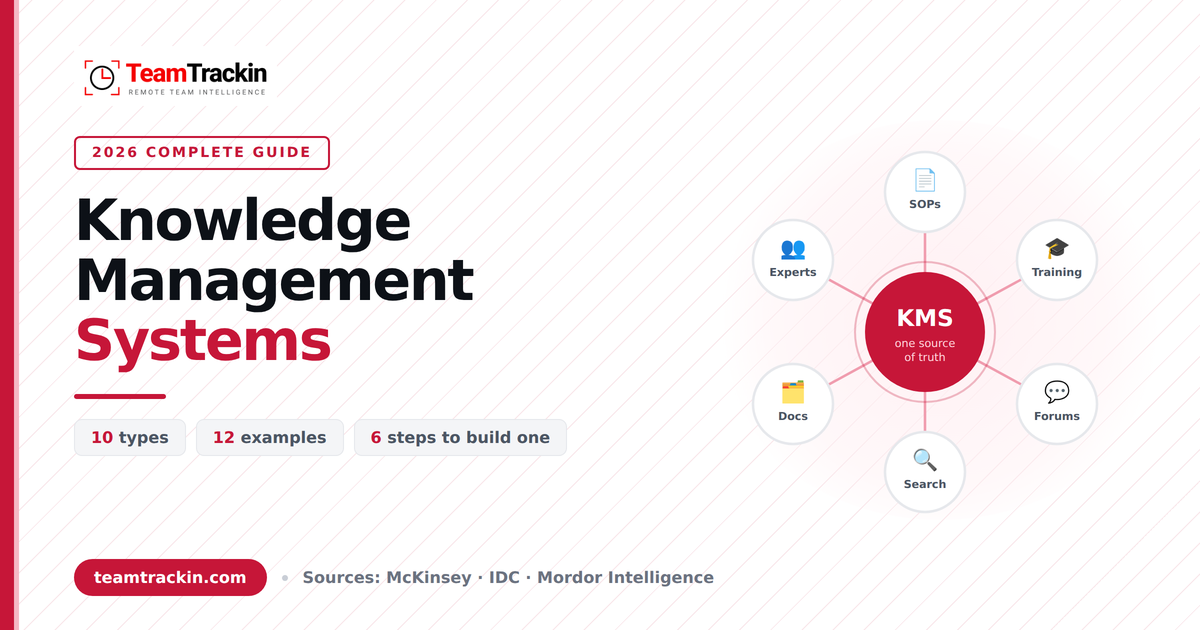
A knowledge management system captures what your organisation knows and makes it findable — so nobody has to interrupt a colleague to get an answer that already exists. Here are the ten types, twelve real examples, the reasons most of these projects quietly fail, and a way to work out what one is actually worth to you.
A knowledge management system (KMS) is software that captures, organises, stores and distributes an organisation's collective knowledge so people can find the right answer without asking a colleague. It usually combines a searchable content repository, a permission model, version control and analytics.
There are ten main types: internal knowledge bases, external help centres, document management systems, content management systems, collaboration and wiki platforms, learning management systems, expert directories, intranets, community forums, and AI knowledge assistants. Most organisations unknowingly run three or four at once.
The business case is the search tax. McKinsey estimates employees spend 1.8 hours a day — 9.3 hours a week — searching and gathering information, and IDC puts it closer to 2.5 hours. A knowledge management system exists to take that number down.
What Is a Knowledge Management System?
A knowledge management system is software that captures, organises, stores and distributes what an organisation knows, so that the knowledge survives independently of the people who happen to hold it today.
That is the textbook answer. The practical one is shorter: it is the thing that stops the same question being asked for the fourth time this month. Every organisation already has a knowledge management system — it is just that in most of them, it is a combination of a shared drive, a chat history, and three people who have been there longest. That arrangement works until one of those three is on holiday.
What every knowledge management system has to do
Regardless of vendor or category, a system only counts as a knowledge management system if it does four things. Miss any one of them and what you have is a file store.
A knowledge management system (KMS) is software that captures, organises, stores and distributes an organisation's collective knowledge so people can find the right answer without asking a colleague. It combines a searchable content repository, a permission model, version control and analytics. Internal knowledge bases, document management systems, wikis and help centres are all types of knowledge management system.
Knowledge Management vs a Knowledge Management System
These two terms get used interchangeably and they are not the same thing. The distinction matters because confusing them is how organisations end up buying software to solve a behaviour problem.
| | Knowledge management | Knowledge management system |
|---|---|---|
| What it is | A business discipline and set of practices | The software that enables those practices |
| Owned by | Leadership, operations, HR | IT, operations, or whoever administers it |
| Fails because of | Culture, incentives, no ownership | Poor search, bad structure, no maintenance |
| Can exist without the other? | Yes — badly, and it does not scale | Technically yes, and then nobody uses it |
The practical implication: buying a knowledge management system without deciding who owns the knowledge, who reviews it, and what happens when it goes out of date is the most common way these projects fail. The software is the easy part.
The Three Types of Knowledge: Explicit, Implicit and Tacit
Before choosing a system, it helps to know what kind of knowledge you are trying to capture — because the three kinds behave completely differently, and most systems only handle one of them well.
| Type | What it is | Example | How hard to capture |
|---|---|---|---|
| Explicit | Already written down and codified | A refund policy, a product manual, a signed contract | Easy — it is already a document |
| Implicit | Applied know-how that could be written down but has not been | The order someone runs a month-end close in, the shortcut that avoids a bug | Moderate — needs someone to notice and record it |
| Tacit | Experience-based judgement that is hard to articulate at all | Knowing which client needs a phone call rather than an email | Hard — needs conversation, shadowing or mentoring |
Here is the uncomfortable part. Most of the value sits in tacit and implicit knowledge, and almost every knowledge management system is designed for explicit knowledge. That mismatch is why a company can migrate three thousand documents into a shiny new platform and find that the business still depends entirely on four people knowing things.
Ikujiro Nonaka and Hirotaka Takeuchi's SECI model, set out in The Knowledge-Creating Company (1995), describes knowledge moving through four modes: Socialisation (tacit to tacit, through shared experience), Externalisation (tacit to explicit, through articulation), Combination (explicit to explicit, through synthesis) and Internalisation (explicit to tacit, through practice). The practical takeaway for anyone choosing software is that a system only automates Combination. Externalisation — the step that turns what an expert knows into something written — is a human process, and it has to be scheduled rather than hoped for.
The 10 Types of Knowledge Management System
These categories overlap in practice — modern platforms bundle several — but they are worth separating because each one answers a different question for a different audience.
| # | Type | Primary audience | Knowledge it handles best |
|---|---|---|---|
| 1 | Internal knowledge base | Employees | Explicit — SOPs, policies, how-tos |
| 2 | External knowledge base / help centre | Customers | Explicit — product and troubleshooting |
| 3 | Document management system | Compliance, legal, finance | Explicit — files of record |
| 4 | Content management system | Marketing, web teams | Explicit — published content |
| 5 | Collaboration / wiki platform | Whole organisation | Implicit — working knowledge in progress |
| 6 | Learning management system | New hires, trainees | Explicit, delivered as courses |
| 7 | Expert directory | Anyone with a hard question | Tacit — by routing to the person |
| 8 | Intranet / enterprise social network | Whole organisation | Announcements and social context |
| 9 | Community forum | Customers and peers | Tacit — crowdsourced from users |
| 10 | AI assistant / enterprise search | Everyone | Retrieval across all of the above |
Internal knowledge base
The default starting point: a structured, searchable library of SOPs, policies, runbooks and onboarding material for staff. If an organisation builds only one knowledge management system, this is usually it, because it is the one that pays back fastest on onboarding alone.
External knowledge base or help centre
The same idea aimed at customers. Every article that answers a question well is a support ticket that never gets raised, which is why support leaders tend to be the first people in an organisation to care about knowledge management.
Document management system
Built around files of record rather than pages: contracts, invoices, signed policies, audit evidence. The defining features are version control, retention rules and an audit trail, not readability. A DMS is where you keep the document; a knowledge base is where you explain it.
Content management system
Manages published content — usually the public website. It appears on these lists because it manages knowledge assets, but it is optimised for publishing to an audience rather than for internal retrieval.
Collaboration and wiki platform
Where knowledge gets written while the work is still happening: meeting notes, project pages, decisions and their reasoning. Wikis capture implicit knowledge better than anything else on this list, and they decay faster than anything else on this list, because nobody owns a page that everybody can edit.
Learning management system
Packages knowledge as structured courses with progress tracking and assessment. An LMS proves someone was taught something, which a knowledge base cannot do — which is why regulated industries run both.
Expert directory
Rather than storing the answer, it routes you to the person who has it. Underrated, and the only category that addresses tacit knowledge honestly: some things genuinely cannot be written down, and the next best thing is knowing whose door to knock on.
Intranet or enterprise social network
The organisational front door: announcements, team pages, who's-who. Intranets are good at context and bad at retrieval, which is why most of them end up with a knowledge base bolted on.
Community forum
Crowdsources knowledge from users or peers. Cheap to run and genuinely powerful at scale, but the quality is only as good as the moderation, and an unanswered question in public is worse than no forum at all.
AI knowledge assistant and enterprise search
The newest category and the fastest-growing: a retrieval layer over everything else, answering in natural language rather than returning a list of links. One caution worth stating plainly — an AI assistant pointed at an unmaintained knowledge base returns confident, well-written, out-of-date answers. It amplifies whatever quality is underneath it, in both directions.
The practical point: most organisations are already running three or four of these without having chosen to. A shared drive, a wiki, a help centre and a chat tool full of pinned messages is four knowledge management systems with four versions of the truth. Consolidation usually delivers more value than adding a fifth.
One place for everything your team knows.
Spaces, page trees, version history and review dates — inside the platform your team already works in.
12 Knowledge Management System Examples
Types are abstract. Here is what they look like when a real team builds one, and what each is actually for.
| Example | Who uses it | The question it answers |
|---|---|---|
| SOP and process library | Operations | How do we do this task, correctly, every time? |
| Employee onboarding handbook | HR and new hires | What does a new starter need in week one? |
| Customer help centre | Customers, support | How do I fix this myself? |
| Engineering runbook | Engineering, on-call | The service is down at 3am — what now? |
| Sales battlecard library | Sales | How do we answer this objection or competitor? |
| Client account handover pack | Agencies, consultancies | What does the next person need to know about this client? |
| Clinical protocol repository | Healthcare teams | What is the current approved procedure? |
| Legal precedent bank | Legal teams | Have we drafted something like this before? |
| Compliance evidence library | Risk, audit | Can we prove we did what we said? |
| Internal expert directory | Whole company | Who actually knows about this? |
| Decision log | Leadership, product | Why did we decide this, and what did we know then? |
| Community support forum | Customers, power users | Has anyone else solved this? |
Two of these deserve a note. The decision log is the most undervalued knowledge management system in existence: recording why a decision was made, and what was known at the time, prevents the same debate being relitigated every eighteen months as people turn over. And the client handover pack is the one agencies regret not having, usually on the day an account manager resigns.
Common examples include an internal SOP library, an employee onboarding handbook, a customer help centre, an engineering runbook, a sales battlecard library, a clinical protocol repository, a legal precedent bank, an internal expert directory, a decision log and a community support forum. Each applies the same idea — capture, organise, retrieve, maintain — to a different audience and question.
Why Knowledge Management Systems Fail
Almost every article on this subject explains how to pick one. Very few explain why the one you pick will probably be half-abandoned within a year. The causes are consistent, and none of them are technical.
1. No page has an owner
A page that belongs to everybody belongs to nobody. Without a named owner, nobody updates it when the process changes, and nobody is accountable when it is wrong. This is the single most common failure and also the cheapest to fix: a name in a field.
2. No review cycle, so trust collapses
Trust in a knowledge base is not lost gradually — it goes in one event. A person follows an article, the article is out of date, the work has to be redone. After that, that person checks with a colleague first, every time, forever. One wrong page can cost more adoption than fifty good ones earn. Review dates exist to prevent exactly this.
3. The habit never changes
If the answer to a documented question is still given in chat, the system is being actively undermined by the people who built it. The behaviour that makes a knowledge base work is boring and uncomfortable: when somebody asks a question that is documented, reply with the link instead of the answer. Teams that do this consistently get adoption. Teams that do not, do not.
4. It launched with everything instead of something
Migrating every document before launch produces a system with three thousand pages, no structure anyone understands, and a search function returning five near-identical results. One well-maintained space covering one real workflow beats a complete archive nobody trusts.
5. Tacit knowledge was never scheduled
Explicit knowledge migrates itself — it is already in documents. Tacit knowledge only moves if somebody sits down with the person who holds it and writes it down. If no one's calendar has that meeting in it, it will not happen, and the system will capture only the knowledge you were least at risk of losing.
A knowledge management system is not a library, it is a garden. A library can be built once and left; a garden that is not tended becomes a worse version of itself every month. Budget for the tending, not just the planting — and if nobody's job description contains it, assume it is not happening.
How to Calculate the ROI of a Knowledge Management System
The business case rests on a single number: the time your people spend looking for things they should be able to find. McKinsey has estimated that at 1.8 hours per day — 9.3 hours a week, and IDC has put it closer to 2.5 hours a day, around 30% of the working day. Interact's figure, 19.8% of business time, works out at roughly one day in every working week.
Those are industry averages and your number will differ, so treat the calculation below as a template rather than a result. The formula:
Annual cost of search = headcount × hours lost per week × 46 working weeks × loaded hourly cost
A knowledge management system does not eliminate this — nothing does. But recovering even a quarter of it is roughly $93,500 a year, against software costing a small fraction of that. The sensitivity that matters is the recovery rate, not the licence fee: substitute your own headcount and loaded cost and the shape of the answer rarely changes.
Two honest caveats. First, these averages come from surveys across very different organisations, and a well-organised ten-person team will lose far less than a sprawling enterprise. Measure your own baseline before quoting a number to a finance director — ask ten people to log search time for a week. Second, time recovered is only value created if it goes into useful work, which is a management question rather than a software one.
The three costs people forget
- Onboarding drag. A new hire without a knowledge base reaches productivity weeks later, and consumes a senior colleague's time doing it. The cost falls on two salaries, not one.
- Knowledge walking out. When an experienced person leaves, undocumented knowledge leaves with them. This cost is invisible until it is enormous.
- Repeat mistakes. A problem solved once and not written down gets solved again from scratch, at full price, by someone who did not know it had happened before.
How to Build a Knowledge Management System in 6 Steps
Roughly a quarter of the work here is software. The rest is deciding things, which is why these steps are mostly decisions.
Audit what already exists
List every place knowledge currently lives: shared drives, email threads, chat channels, personal notes, and people's heads. Most organisations find between six and twelve locations. The duplication between them is the problem you are actually solving — more than the absence of a tool.
Pick one high-pain use case
Do not start with everything. Choose the one workflow where missing knowledge costs the most, which is usually onboarding or customer support, and build around that first. A narrow system that works earns the right to expand; a complete one nobody opens does not.
Decide the structure before the content
Agree your spaces, your page hierarchy and your naming convention on day one. Retrofitting structure onto a thousand pages costs several times what agreeing it upfront does, and it is the kind of work nobody volunteers for twice.
Capture tacit knowledge deliberately
Book the interviews. Sit with your most experienced people, ask how they actually do the thing, record it, and turn it into pages. This is the step every project skips and the reason most of them capture only what was already written down.
Set an owner, permissions and a review date on every page
Every page gets a named owner and a date when somebody has to confirm it is still true. Decide who can see and edit each space at the same time — retrofitting permissions after a salary document ends up in a company-wide space is a conversation worth avoiding.
Make it the single source of truth, out loud
When somebody asks a documented question, reply with the link rather than the answer. It feels unhelpful for about two weeks and then it becomes the thing that made the system work. Leadership has to do this first and most visibly, because everyone else copies whatever managers do.
The 4 Metrics That Prove It Worked
Page count and total logins are the metrics most teams report and they prove nothing — a system can have five thousand pages and a thousand monthly logins while everyone still asks in chat. These four actually move when the system is working.
| Metric | How to measure it | What good looks like |
|---|---|---|
| Search success rate | Share of searches that end in a page view rather than a second search or an abandon | Rising quarter on quarter; a falling rate means content, not search, is the problem |
| Time to first productive week | Days from a new hire's start date to their first independent piece of work | Falling — this is where the clearest return shows up first |
| Percentage of pages past review date | Pages whose review date has passed, divided by total pages | Under 10%; above 25% and trust is already going |
| Documented questions still asked in chat | Sample a channel for a week and count questions the system already answers | Falling — the only direct measure of whether the habit changed |
Also track your zero-result searches. Every search that returns nothing is a person telling you precisely what is missing, in their own words. It is the highest-quality content backlog you will ever get, and it is free.
Permissions, Security and GDPR
A knowledge management system concentrates, in one searchable place, a great deal of what an organisation knows. That is the point, and it is also the risk. Three things need deciding before launch rather than after an incident.
Permissions at space and page level
Space-level permissions are the baseline: HR, finance and leadership content should not be company-wide by default. Page-level control matters for the exceptions — a single sensitive page inside an otherwise open space. If a system only offers all-or-nothing access, the predictable outcome is that sensitive content gets kept outside it, which defeats the purpose.
Personal data has a retention clock
Under GDPR, personal data must not be kept longer than necessary for the purpose it was collected for. Knowledge bases quietly accumulate personal data — performance notes, grievance records, customer details inside support articles, contact lists in handover documents. Decide early what classes of content are allowed in the system at all, and what gets deleted on a schedule rather than archived forever.
Offboarding is a knowledge event, not just an IT one
When someone leaves, two things have to happen: their access is revoked, and the pages they owned are reassigned. The first always happens. The second rarely does, which is how an organisation ends up with hundreds of orphaned pages that nobody will update because nobody is responsible for them. Put page reassignment in the offboarding checklist next to the laptop return.
A note on AI assistants and permissions. If you layer an AI assistant over your knowledge base, confirm it respects the same permission model as the underlying content. An assistant that can read every page can summarise a restricted one for someone who was never meant to see it. Ask the vendor this question specifically, and ask for the answer in writing.
This section is general information about common compliance considerations, not legal advice. Check your own obligations with a qualified adviser.
Knowledge Management for Remote and Distributed Teams
Everything above matters more when the team is distributed, for a reason that is easy to miss: in an office, a badly documented process is survivable because you can turn around and ask. Remote teams have no such safety net, and across time zones the cost of asking is not a thirty-second interruption — it is a day.
That changes the calculation in three ways.
- Documentation stops being overhead and becomes infrastructure. In a co-located team, writing it down is a nice-to-have. In a team spread across four time zones, the written answer is the only answer available for sixteen hours of the day.
- Asynchronous beats synchronous for anything repeatable. A recorded, written process is readable at 3am in another country. A meeting is not. Every question answered in a meeting that could have been a page is a question that will be asked again.
- The knowledge base becomes the onboarding. A new remote hire cannot absorb the unwritten rules by sitting near people. Whatever is not documented is, for them, simply not known — which is why remote-first companies tend to have the best internal documentation in any industry. They had no alternative.
Ask one question: if your most experienced person went on leave for a month with no phone, what would stop? The honest answer to that is your knowledge management gap, stated precisely, and it is usually a much shorter list to fix than a full documentation programme.
How TeamTrackin Works as a Knowledge Management System
Most knowledge management tools are separate products, which creates the problem described in section four: another place to look. TeamTrackin's documentation lives inside the same platform as the projects, timesheets and people it describes — so the SOP sits next to the work it governs rather than in a different tab.

The governance features from sections six and ten are the ones that decide whether a knowledge base survives its second year, so they are worth naming specifically.

Full details of spaces, templates, the slash-menu editor, search and permissions are on the knowledge base software page.

More from TeamTrackin
Frequently Asked Questions
- What is a knowledge management system?
A knowledge management system (KMS) is software that captures, organises, stores and distributes an organisation's collective knowledge so people can find the right answer without asking a colleague. It typically combines a searchable content repository, a permission model, version control and analytics. Common examples include internal knowledge bases, document management systems, wikis, learning management systems and customer help centres.
- What is the difference between knowledge management and a knowledge management system?
Knowledge management is the business process of identifying, capturing, sharing and maintaining what an organisation knows. A knowledge management system is the software that makes that process possible at scale. The process can exist without the software, badly and slowly, but the software achieves nothing without the process behind it.
- What are the types of knowledge management systems?
There are ten main types: internal knowledge bases, external knowledge bases or help centres, document management systems, content management systems, collaboration and wiki platforms, learning management systems, expert directories, intranets and enterprise social networks, community forums, and AI knowledge assistants with enterprise search. Most organisations run three or four of these at once, which is itself a common source of duplication.
- What are examples of knowledge management systems?
Real examples include an internal SOP library for operations teams, a customer help centre, an onboarding handbook for new hires, an engineering runbook for incidents, a sales battlecard library, a clinical protocol repository in healthcare, a legal precedent bank, and a community support forum. Each is the same underlying idea applied to a different audience and a different question.
- What are the three types of knowledge in knowledge management?
Explicit knowledge is already written down, such as a policy or a manual. Implicit knowledge is applied know-how that could be written down but has not been, such as the order someone performs a task in. Tacit knowledge is experience-based judgement that is hard to articulate at all, such as knowing which client needs a phone call rather than an email. Most knowledge management systems handle explicit knowledge well and tacit knowledge badly.
- Why do knowledge management systems fail?
The three recurring causes are no ownership, no review cycle and no habit change. Pages with no named owner go stale, a system without review dates loses trust once people find one wrong answer, and a team that keeps asking questions in chat never learns to search. Technology is rarely the reason; adoption almost always is.
- How much time do employees waste looking for information?
McKinsey has estimated that employees spend 1.8 hours every day, or 9.3 hours per week, searching and gathering information. IDC has put the figure at roughly 2.5 hours per day for knowledge workers, about 30 percent of the working day. For a 25-person team on an average salary, even the lower figure represents a six-figure annual cost.
- How do you measure whether a knowledge management system is working?
Track four things: search success rate (what share of searches end in a page view rather than a repeat search), time to first productive week for new hires, the percentage of pages past their review date, and the number of repeat questions asked in chat that are already documented. Page count and total logins look impressive and prove nothing.
Figures in this guide are attributed inline to McKinsey, IDC, Interact and Mordor Intelligence, and were checked in October 2026. Survey averages vary widely by organisation — measure your own baseline before building a business case on them.
Stop answering the same question.
Write it down once.
TeamTrackin gives your team spaces, page trees, version history, review dates and page-level permissions — in the same platform as your projects, timesheets and people.
Explore knowledge base software→14-day free trial · No credit card · Setup in ~3 minutes