Project Management Software with Time Tracking & Productivity Insights
TeamTrackin is a modern project management software designed to help teams plan, track, and deliver work efficiently. With built-in time tracking, productivity insights, and real-time collaboration, it gives businesses a smarter way to manage software projects, construction workflows, creative tasks, and everyday operations all in one online platform.
What Is Project Management Software?
Project management software helps teams organize tasks, manage timelines, assign responsibilities, and monitor progress from start to finish. Instead of juggling spreadsheets and emails, teams use one centralized system to manage projects, improve visibility, and deliver work on time.
TeamTrackin combines software project management, task tracking, and reporting into a single solution that works for teams of all sizes.
About Us
Work Smarter with Better Project Planning
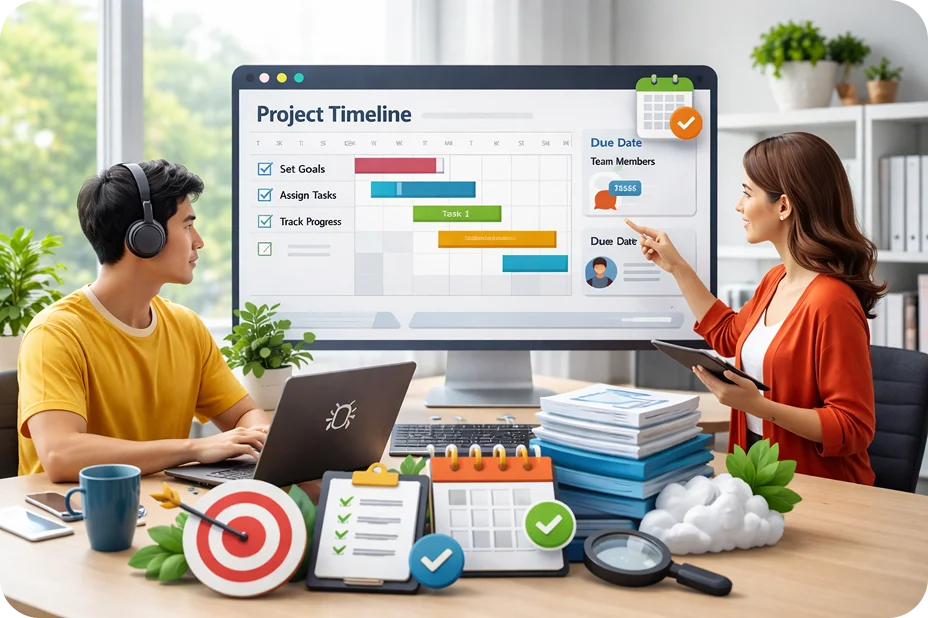
Planning is easier when everything is in one place. TeamTrackin allows teams to define goals, set deadlines, assign tasks, and track milestones without confusion. Whether you're managing marketing campaigns or software development projects, clear planning leads to better results and fewer delays.
Track Projects and Stay on Schedule
Staying on schedule requires more than just setting deadlines. TeamTrackin gives teams real-time visibility into project progress, task completion rates, and team workloads so managers can catch bottlenecks early and keep projects moving forward without surprises.
Key Benefits for Your Team
- •Monitor task progress and deadlines in real time
- •Identify bottlenecks before they delay projects
- •Balance workloads across team members effectively
- •Generate reports for stakeholders and leadership
- •Track billable hours and project costs accurately
- •Plan sprints and review burndown and velocity reports
Scrum Boards, Documentation and Client Billing
TeamTrackin goes further than a task list. Run agile sprints, keep your team's knowledge in one place and invoice clients for the time you tracked — without adding another tool.
Scrum Board & Agile Reports
A ranked backlog, sprint planning with goals, dates and capacity, epics, stories and sub-tasks with issue keys, WIP limits, swimlanes and live updates. Review burndown, burnup, velocity, sprint, cumulative flow and cycle time reports.
Learn moreDocuments & Knowledge Base
Spaces and page trees for specs, SOPs and meeting notes, with templates, inline comments, version history, review dates, page-level permissions, Cmd/Ctrl + K search and export to PDF, Word, Markdown or HTML.
Learn moreClient Invoicing
Turn tracked hours and milestones into invoices with per-line tax and discounts, send them with a secure link, automate reminders and recurring invoices, and record partial payments in any currency.
Learn moreOne place for every team's projects
Organise boards by team or client, see the work the way that suits you, and bring in requests and code from the tools you already use.
Spaces, roles and guests
Group boards, view boards and documents into Spaces by team, product or client, with shared labels, fields, priorities and board templates. On Premium, give people Admin, Member or Viewer roles and invite outside guests to one Space.
Roadmap, table and calendar
See a board, a whole Space or a view board on a roadmap grouped by epic, edit tickets in a table, or plan by date on a month calendar. Drag to change dates and spot clashes between tickets that block each other.
My Work and dashboards
My Work lists every ticket of yours across all boards. Custom dashboards put burndown, velocity, SLA and ticket lists from any board on one page, and everyone sees only what they can open.
Forms and email to ticket
Share a form or put it on your website and every answer becomes a ticket. Give a board its own e-mail address and reply to the sender from a comment.
GitHub, GitLab, Slack and the API
Pull requests, commits and branches show on the tickets they name. Create and assign tickets from Slack, and connect your own systems with API keys and signed webhooks, and your AI tools with your company's own connector link.
Import from your old tool
Bring boards, tickets, comments and people from Jira Cloud, ClickUp, Asana, Linear, Trello, monday.com, Notion or a CSV or Excel export, with a dry run first and undo afterwards.
Manage Projects, Tasks, and Teams in One Place
From daily tasks to long-term initiatives, TeamTrackin keeps your entire team aligned with clear visibility into progress, deadlines, and workloads. Simplify project management and focus on delivering results.
Project Management With Built-In Time Tracking
TeamTrackin combines project management and time tracking in one platform. Track how long tasks take, monitor team hours across projects, and use real data to improve planning and budgeting. No need for separate tools or manual timesheets — everything is captured automatically as your team works.
Easy Project Management For Small Businesses
Small businesses need simple, powerful tools without unnecessary complexity. TeamTrackin provides intuitive project management designed for lean teams — easy to set up, quick to learn, and scalable as your business grows. Manage tasks, deadlines, and team workloads without enterprise-level overhead.
Project Management Software For Mac Users
TeamTrackin runs seamlessly on Mac and macOS devices, providing a smooth experience for Apple users. Access your projects, tasks, and time tracking data from any Mac browser — no downloads or plugins required. Perfect for creative teams, agencies, and freelancers who rely on Mac for their daily work.
Flexible Project Management For Freelancers And Creatives
Freelancers and creative professionals need flexibility, not rigid workflows. TeamTrackin adapts to how you work — whether you manage client projects, track billable hours, or juggle multiple deadlines. Stay organized, deliver on time, and maintain clear records for invoicing and client reporting.
Project management software with time tracking built in
Most project tools tell you what is planned. TeamTrackin also tells you what it really took, because every task carries the time people tracked against it.
Plans and real hours in the same place
When projects live in one tool and hours live in another, budgets drift and nobody notices until the invoice is due. With time tracking built into project management, each hour your team tracks lands on a project and a task automatically, so progress, effort and cost are always side by side.
Project managers see which tasks are running over, which people are overloaded and how much budget is left, without asking anyone to fill in a spreadsheet.
From the first task to the final invoice
Plan the work on boards and sprints, track time while it happens, report on it by project or client, and on Premium turn billable hours into invoices that clients can view and pay in the client portal.
Because it is one system, there is no export and import between tools, and the numbers in your reports match the numbers on your invoices.
What each plan includes for projects
Choose the level your team needs. Every plan has a 14-day free trial with no card.
Basic: time tracking against projects
From $3.99 per user per month, track time against projects and tasks, with timesheets, reports, activity levels and the built-in AI assistant with monthly credits.
Standard: projects and scrum boards
Standard adds full project management: projects with tasks and budgets, scrum boards, sprints and agile reports, plus leave, overtime and payroll records for the people doing the work.
Premium: docs, invoicing and the client portal
Premium adds documentation, client invoicing from tracked hours, a client portal where clients follow progress and pay, and a secure vault for shared credentials and files.
Integrations on every plan
Connect 36+ tools including Jira, GitHub, GitLab, Asana, ClickUp, Trello, Linear and Slack. Basic includes one connection, Standard three, and Premium and Enterprise are unlimited.
Everything you need to run projects on time and on budget
Planning, tracking and billing in one place.
Scrum boards and sprints
Plan work on boards, run sprints and move cards as work progresses (Standard).
- Backlog and sprint planning
- Agile reports
- Time shown on every card
Time tracking on every task
Track time from the desktop, web or mobile app straight onto the task you are working on.
- One-click timers
- Automatic desktop tracking
- Time added to the right project
Budgets and progress
Compare tracked hours with the plan so you see overruns while there is still time to act.
- Hours by project and task
- Effort by person
- Progress at a glance
Project documentation
Keep specs, how-tos and decisions next to the work in TeamTrackin docs (Premium).
- Docs linked to projects
- Shared with the right people
- Searchable
Client invoicing
Turn billable hours into invoices and share them through the client portal (Premium).
- Invoices from tracked time
- Client portal access
- Reminders for unpaid invoices
AI for project updates
The built-in AI assistant writes stand-ups and weekly project summaries from tracked time, using monthly credits included with every plan.
- Stand-ups in seconds
- Weekly summaries per project
- Ask where the hours went
Start managing projects with time tracking
Four steps from sign-up to your first project report.
- STEP 01
Create a project
Add the project, its tasks, the client and the people working on it.
- STEP 02
Track time on tasks
Your team tracks time against tasks from the desktop, web or mobile app.
- STEP 03
Watch progress
See hours against the plan on boards and in reports, and act early on overruns.
- STEP 04
Report and bill
Share project reports and, on Premium, invoice clients from billable hours.
Project management software from $3.99 per user per month
Time tracking against projects starts on Basic. Projects and scrum boards are included from Standard, and invoicing, the client portal and docs come with Premium. Try any plan free for 14 days, no card needed.
Related TeamTrackin features
Projects connect to the rest of the platform.
Start Tracking Productivity the Smarter Way
Stop guessing how work hours are spent. TeamTrackin gives your team the tools to plan better, track progress, and deliver projects on time with full visibility and real-time insights.